
Dynamics 365 Business Central Training Resources
Training Materials & Videos for Microsoft Dynamics 365 Business Central & Dynamics NAV (NAVISION) with e-Jewelry Software.
This resource hub is designed for teams who need fast, practical help with Business Central setup, daily workflows, and ERP best practices in the jewelry industry. Use the sections below to find installation guides, Microsoft documentation, and training manuals your team can actually apply.
Need help with installation, upgrades, or troubleshooting? Use our contact page and we’ll point you to the right resource (or help you directly).
Quick Navigation

Calculate An Upgrade Now

Business Central Calculator
On-Premises End of Life Dates (NAV & Business Central)
These lifecycle dates are included to help teams plan upgrades, avoid surprise downtime, and reduce security/compliance risks. If your ERP is approaching end-of-support, the cost of waiting usually exceeds the cost of planning.

Dynamics NAV (NAVISION)
On-Premises Life Cycle
| Product | Start Date | End of Support |
|---|---|---|
| NAV '16 | 01/03/2016 | 04/13/2021 |
| NAV '17 | 10/27/2016 | 01/11/2022 |
| NAV '18 | 12/01/2017 | 01/10/2023 |
| Product | Start Date | End of Life |
|---|---|---|
| NAV '04 4.0 | 12/12/2004 | 01//12/2010 |
| NAV '07 5.0 | 04/01/2007 | 04/11/2017 |
| NAV '09 | 02/12/2009 | 01/14/2020 |
| NAV '09 R2 | 03/15/2011 | 01/14/2020 |
| NAV '13 | 12/19/2012 | 01/10/2023 |
| NAV '13 R2 | 12/30/2012 | 01/10/2023 |
| NAV '15 | 12/17/2014 | 01/14/2025 |
| NAV '16 | 01/03/2016 | 04/14/2026 |
| NAV '17 | 10/27/2016 | 01/11/2027 |
| NAV '18 | 12/01/2017 | 01/11/2028 |
| 10 Year Fixed Lifecycle | *Life Ended/Ending! | Source: Microsoft |

Dynamics 365 (Business Central)
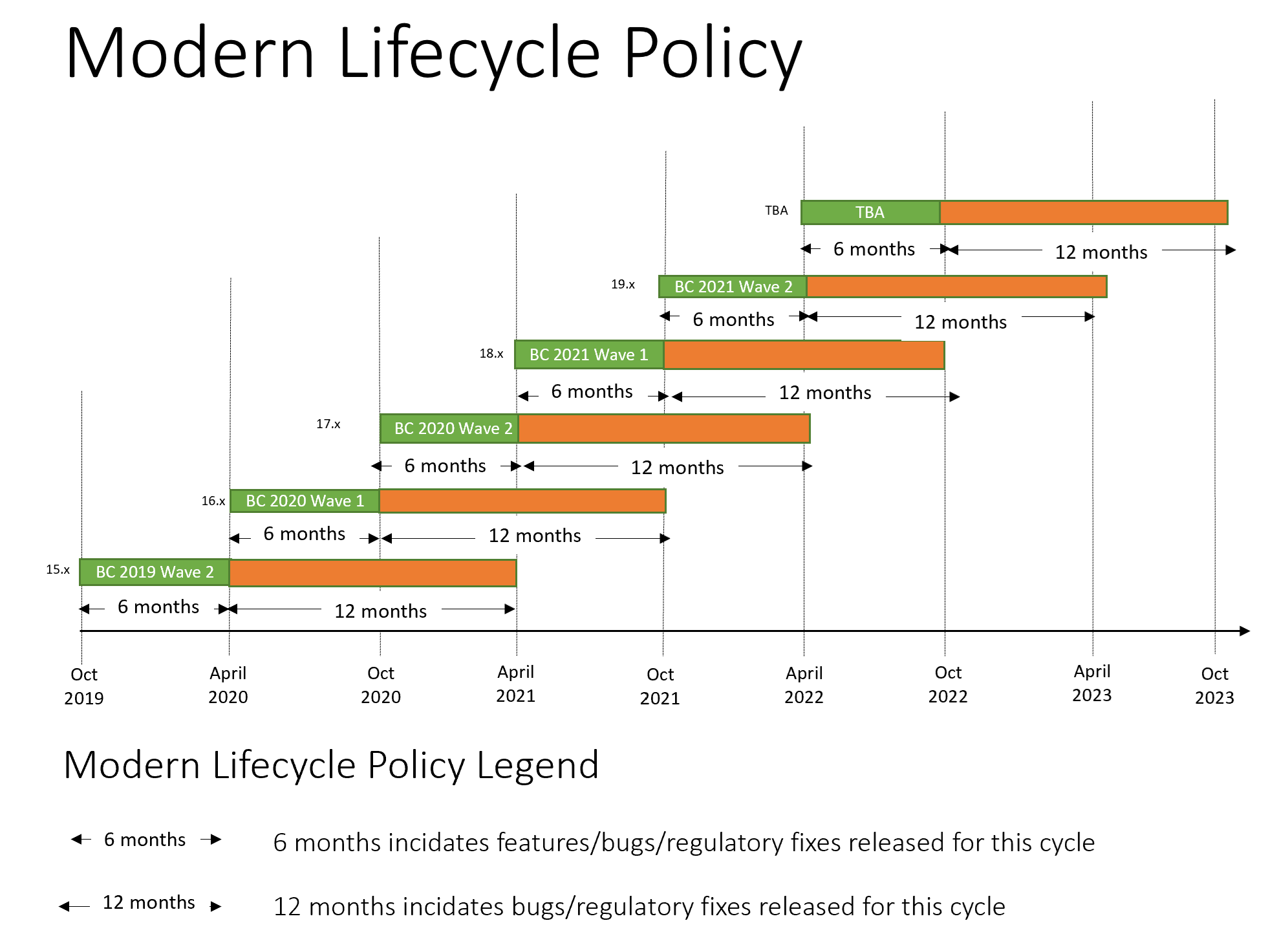
On-Premises Life Cycle
| Product | Start Date | End of Life |
|---|---|---|
| BC '18 14.x | 10/01/2018 | 10/14/2025 | 10 Year Fixed Lifecycle |
| Product | Start Date | End of Life |
| BC '19 15.x | 10/01/2019 | 04/13/2021 |
| BC '20 16.x | 04/01/2020 | 04/12/2022 |
| BC '17.x | 10/01/2020 | 04/12/2022 |
| BC '21 18.x | 04/01/2021 | 10/11/2022 |
| BC '21 19.x | 10/01/2021 | 04/12/2023 |
| BC '22 20.x | 04/01/2022 | 10/10/2023 |
| BC '22 21.x | 10/03/2022 | 04/14/2024 |
| BC '23 22.x | 04/03/2023 | 10/13/2024 |
| BC '23 23.x | 10/02/2024 | 04/02/2025 |
| BC '24 24.x | 04/02/2024 | 10/07/2025 |
| BC '24 25.x | 10/01/2024 | 04/04/2026 |
| 2 Year Modern Lifecycle | *Life Ended/Ending! | Source: Microsoft |

Dynamics 365 (Business Central)
On-Cloud Life Cycle
| Product | Start Date | End of Life |
|---|---|---|
| BC '25 26.x | 04/01/2025 | 10/13/2026 |
| BC '25 27.x | 10/01/2025 | 04/06/2027 |
| BC '26 28.x | 04/01/2026 | 10/13/2027 |
| BC '26 29.x | 10/01/2026 | 04/06/2028 |
| 2 Year Modern Lifecycle | Source: Microsoft |
Learn Dynamics 365 Business Central
Use the official Microsoft resources below to learn features, licensing, and core workflows. These links are especially useful for admins, power users, and implementation teams.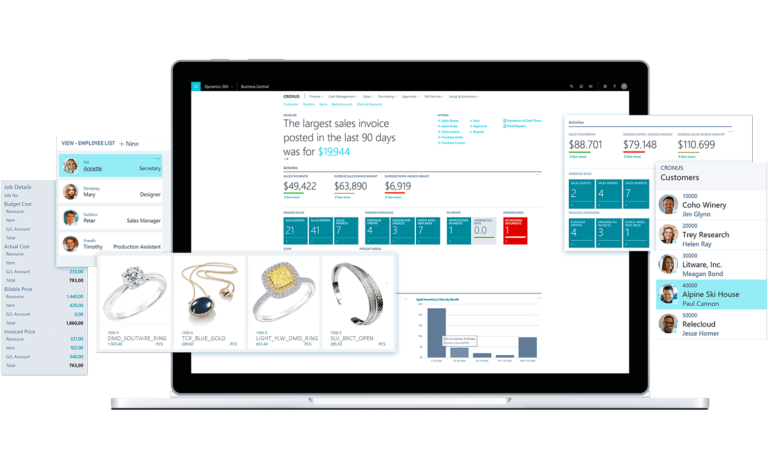
Dynamics NAV (NAVISION) Resources
Still running NAV on-prem? These resources help with installation, documentation, and training. If you’re planning an upgrade path to Business Central, use the lifecycle section below to understand timelines.
- Welcome to Microsoft Dynamics 365 Business Central
- Microsoft Dynamics 365 BC Capability Guide
- Microsoft Dynamics 365 Documentation
- Microsoft Dynamics 365 Brochure
- Microsoft Dynamics 365 Documentation & E-Learning
- Microsoft Dynamics 365 Licensing Guide-On-Premise
- Microsoft Dynamics 365 Licensing Guide-Cloud
- Introduction To Microsoft Dynamics 365
- Microsoft Dynamics 365 Home Page
NAV Training Manuals
These manuals are helpful for onboarding and refreshers across common NAV workflows.
Inventory Management
Relationship Management
- Table of Contents
- Introduction
- Relationship Management overview
- Set-up procedures
- Contacts
- Interactions and document management
- Campaign and segmentation
- Task Management
- Outlook Integration
- Opportunity Management
- Profiling and classification
- Multi-language salutation and attachment
- Quotation to Contacts
- Document Logging
- Appendix A: Course Schedule
- Appendix B: Terminology List
- Appendix D: Solutions to test your skills
- Microsoft Legal Disclosure
Sure Step
Kitting
Planning an Upgrade from NAV to Business Central
If your business is still running Microsoft Dynamics NAV, planning an upgrade is no longer optional. Support timelines are tightening, and waiting often increases cost, downtime, and data risk.
e-Jewelry Software helps jewelry businesses migrate from NAV to Dynamics 365 Business Central with a structured, industry-specific approach. This includes data migration, customization planning, testing, and post-upgrade support.
Learn more about our Business Central services or contact our team to discuss your upgrade timeline.
Who These Business Central Resources Are For
- Jewelry retailers using Dynamics 365 Business Central
- Operations teams managing inventory, purchasing, and sales workflows
- IT administrators responsible for ERP setup and maintenance
- Businesses transitioning from Dynamics NAV to Business Central
- Executives planning ERP upgrades or cloud migration
These materials focus on practical usage, implementation planning, and long-term system stability, not generic ERP theory.
Business Central & NAV Training FAQ
Quick answers for teams using Dynamics 365 Business Central or Dynamics NAV with e-Jewelry Software.
Dynamics NAV is the legacy on-prem ERP (Navision). Dynamics 365 Business Central is the modern version (cloud or on-prem) built around extensions (AL) and ongoing updates.
Yes. Workflows are similar, but licensing, updates, and deployment differ. Use the Microsoft links for official details and our guides for practical setup and daily use.
Before end-of-support. Upgrade planning reduces security/compliance risk and avoids rushed downtime when updates or integrations break.
Start with installation & setup (if implementing), then use Microsoft documentation and capability guides for core workflows, roles, and features.
Yes — use our contact page and we’ll route you to the right resource (or help directly): Talk to a specialist.
Use Microsoft Learn for official documentation: Microsoft Learn: Business Central .
Privacy Overview
| Cookie | Duration | Description |
|---|---|---|
| cookielawinfo-checkbox-analytics | This cookie is set by GDPR Cookie Consent plugin. The cookie is used to store the user consent for the cookies in the category "Analytics". | |
| cookielawinfo-checkbox-functional | The cookie is set by GDPR cookie consent to record the user consent for the cookies in the category "Functional". | |
| cookielawinfo-checkbox-necessary | This cookie is set by GDPR Cookie Consent plugin. The cookies is used to store the user consent for the cookies in the category "Necessary". | |
| cookielawinfo-checkbox-others | This cookie is set by GDPR Cookie Consent plugin. The cookie is used to store the user consent for the cookies in the category "Other. | |
| cookielawinfo-checkbox-performance | This cookie is set by GDPR Cookie Consent plugin. The cookie is used to store the user consent for the cookies in the category "Performance". | |
| viewed_cookie_policy | The cookie is set by the GDPR Cookie Consent plugin and is used to store whether or not user has consented to the use of cookies. It does not store any personal data. |