
Blog

  • What Is the ERP Onboarding Process for New Systems?

    What Is the ERP Onboarding Process for New Systems?

    The ERP onboarding process is the structured approach a business follows to introduce, configure, train, and transition teams into a new enterprise resource planning system. For jewelry businesses, diamond traders, importers, wholesalers, and retailers, this process is especially important because daily operations often depend on highly detailed workflows such as inventory tracking, memo management, stone certification, pricing, sales orders, purchasing, accounting, customer management, and reporting. A successful ERP onboarding process helps teams understand how the new system fits into their day-to-day responsibilities while reducing confusion, disruption, and resistance to change.

    Implementing a new ERP system is not just a technical project. It is an operational shift that affects how people work, how information flows, and how decisions are made. Without proper onboarding, even the most advanced ERP platform can feel overwhelming. With the right onboarding plan, however, teams can adopt the system with confidence, use its features correctly, and begin seeing the value of better organization, automation, and visibility.

    For businesses in the jewelry and diamond industries, onboarding should be practical, guided, and tailored to industry-specific needs. A general ERP system may require extensive customization or complicated workarounds. A jewelry-focused ERP solution, such as e-Jewelry Software© from Business Computing, is designed around the unique needs of the industry, which can make onboarding more relevant and easier for users to understand.

    What Is the ERP Onboarding Process?

    The ERP onboarding process is the series of steps that help a company move from its current tools, spreadsheets, manual processes, or outdated software into a new Microsoft Dynamics 365 Business Central ERP system. It typically includes planning, data preparation, system setup, user training, process alignment, testing, launch support, and post-launch monitoring.

    The goal is not simply to install software. The goal is to help the business operate successfully inside the new system.

    A strong onboarding process answers practical questions such as:

    • What business processes will the ERP system manage?
    • Which teams and users need access?
    • What data needs to be migrated?
    • How should workflows be configured?
    • What training does each department need?
    • How will the business measure whether onboarding was successful?
    • Who will provide support after launch?

    For jewelry businesses, ERP onboarding may include additional industry-specific considerations, such as lot tracking, diamond grading details, jewelry style management, repair workflows, vendor relationships, customer orders, consignment or memo transactions, appraisals, and integration with accounting or ecommerce platforms. These details matter because they shape how users interact with the system every day.

    A clear onboarding process gives employees a roadmap. Instead of asking teams to figure everything out on their own, the business provides structured guidance that helps users understand why the new system matters and how to use it effectively.

    Key Stages of Successful ERP Onboarding

    A successful ERP onboarding process usually follows several connected stages. Each stage builds on the one before it, helping the business prepare for a smoother launch and stronger long-term adoption.

    1. Discovery and Business Process Review

    Before a new ERP system is configured, the business needs to understand its current processes. This stage involves reviewing how each department operates, where information is stored, which tasks are manual, and where bottlenecks occur.

    For example, a jewelry company may need to review:

    • How inventory is received, categorized, and tracked
    • How loose diamonds, finished jewelry, findings, and repairs are managed
    • How sales orders and customer records are created
    • How vendor purchases and invoices are handled
    • How pricing, discounts, and margins are calculated
    • How reporting is currently performed

    This stage is important because ERP onboarding should not simply copy inefficient processes into a new platform. It should identify opportunities to improve workflows, reduce duplicate entry, and create cleaner data practices.

    2. Implementation Planning

    Once the business understands its current processes, the next step is to create a practical implementation plan. This plan defines the timeline, responsibilities, priorities, training schedule, data migration steps, and launch strategy. For a detailed breakdown of what this looks like in practice, see our article on the jewelry ERP implementation step-by-step process.

    A good implementation plan should include:

    • Project goals and expected outcomes
    • Key stakeholders and decision-makers
    • Department-by-department onboarding needs
    • Data cleanup and migration requirements
    • Testing milestones
    • Training sessions
    • Launch date expectations
    • Support procedures after go-live

    The implementation plan should be realistic. Rushing ERP onboarding can lead to mistakes, poor user confidence, and incomplete setup. A thoughtful plan gives the organization time to prepare users and validate that the system supports real business needs. Our jewelry ERP implementation services are designed to guide businesses through every stage of this planning process.

    3. Data Preparation and Migration

    Data migration is one of the most important stages of ERP onboarding. Businesses often have years of data stored in spreadsheets, legacy systems, accounting software, or separate databases. Before that information moves into the new ERP system, it should be reviewed, cleaned, and organized. For a closer look at what this involves, our article on how long a jewelry ERP migration timeline takes walks through the key factors that affect scope and timing.

    Common data types include:

    • Customer records
    • Vendor records
    • Product and inventory details
    • Diamond and gemstone attributes
    • Pricing information
    • Purchase history
    • Sales history
    • Open orders
    • Accounting records
    • Repair or service records

    Poor data quality can create problems after launch. Duplicate customer records, outdated item codes, incomplete product descriptions, and inconsistent pricing can make the new ERP system harder to trust. Data preparation gives the business a stronger foundation and helps users feel more confident in the information they see. Our jewelry ERP data migration services are built to handle this process carefully so businesses start on solid footing.

    4. System Configuration

    System configuration involves setting up the ERP platform to match the company’s workflows, roles, permissions, departments, and reporting needs. This may include configuring inventory categories, user access levels, sales processes, purchasing rules, accounting integrations, customer management tools, and operational dashboards.

    For jewelry companies, configuration may also include industry-specific details such as stone attributes, metal types, ring sizes, style numbers, certification information, memo tracking, and repair stages. The more closely the system reflects the way the business works, the easier it becomes for employees to adopt it.

    Configuration should balance customization with simplicity. The system should support the company’s needs without becoming overly complicated. This is especially important for businesses that want powerful features but do not want employees to struggle with confusing screens or unnecessary steps.

    5. Testing and Validation

    Before the system goes live, teams should test it using real-world scenarios. Testing helps confirm that the system performs as expected and that users understand the workflows they will use after launch.

    Testing may include:

    • Creating a new customer
    • Entering a sales order
    • Receiving inventory
    • Searching for a diamond or jewelry item
    • Creating a purchase order
    • Processing a return
    • Generating reports
    • Checking accounting integration
    • Reviewing user permissions

    Testing allows businesses to identify issues before they affect daily operations. It also gives employees a safer environment to practice, ask questions, and build confidence.

    6. Go-Live Support

    Go-live is the point when the business officially begins using the new ERP system for daily operations. During this stage, users need access to support, guidance, and quick answers. Even with strong training, questions will come up once employees start using the system in real time.

    Go-live support may include live assistance, help documentation, issue tracking, follow-up training, and daily check-ins. The goal is to keep operations moving while helping users adjust to the new way of working.

    7. Post-Launch Optimization

    ERP onboarding does not end on launch day. After the system is live, the business should continue reviewing performance, gathering feedback, and refining workflows. Post-launch optimization helps teams get more value from the software over time.

    This stage may involve improving reports, adjusting permissions, simplifying workflows, adding integrations, or expanding usage into additional departments. A good ERP system should grow with the business, and onboarding should help establish that long-term path.

    How the ERP Onboarding Process Supports Adoption

    The ERP onboarding process supports adoption by giving employees the knowledge, structure, and confidence they need to use the system correctly. Adoption is one of the biggest factors in ERP success. If users do not understand the system, avoid using it, or create workarounds outside the platform, the business may not achieve the results it expected. Our article on how Business Central user training improves adoption covers this in more depth.

    Strong onboarding improves adoption by:

    • Explaining why the system is being introduced
    • Showing users how the ERP supports their daily work
    • Reducing uncertainty around new processes
    • Creating clear expectations for data entry and workflow steps
    • Giving employees hands-on practice
    • Providing support during and after launch

    Adoption also depends on leadership. Managers and department leads should reinforce the importance of using the ERP consistently. When teams see that leadership is committed to the system, they are more likely to engage with it.

    For jewelry businesses, adoption is easier when the ERP system feels relevant to the industry. Users should not have to translate generic software terminology into jewelry-specific processes. A solution designed for jewelry operations can help employees understand the system faster because it reflects the way they already think about inventory, sales, vendors, and customers.

    User Training and Workflow Familiarization

    User training is a central part of ERP onboarding. It should be practical, role-specific, and focused on the workflows each employee will actually use. A salesperson does not need the same training as an inventory manager, bookkeeper, purchasing coordinator, or business owner.

    Effective training may include:

    • Live demonstrations
    • Hands-on exercises
    • Department-specific sessions
    • Step-by-step workflow guides
    • Recorded training materials
    • Practice scenarios
    • Follow-up Q&A sessions

    Workflow familiarization helps users connect system features to real tasks. Instead of learning buttons and menus in isolation, employees learn how to complete meaningful processes from start to finish.

    For example, a sales team may learn how to search inventory, create a quote, convert it to an order, check customer history, and review pricing. An inventory team may learn how to receive products, update item details, manage stock locations, and track serialized or detailed product information. Accounting users may focus on invoices, payments, reconciliations, and reporting.

    Training should also make room for feedback. Employees who use the system every day often identify practical improvements that can make workflows easier. Listening to their feedback can improve adoption and help the company refine its setup. Our jewelry ERP training and support services are structured to deliver exactly this kind of role-specific, hands-on guidance.

    Common Challenges During Onboarding

    Even with careful planning, ERP onboarding can come with challenges. Understanding these challenges in advance helps businesses prepare for them and reduce their impact.

    Resistance to Change

    Employees may be comfortable with existing tools, even if those tools are inefficient. A new ERP system can feel intimidating because it changes familiar habits. Clear communication, patient training, and visible leadership support can reduce resistance.

    Poor Data Quality

    If old data is incomplete, duplicated, or inconsistent, the new ERP system may produce unreliable results. Data cleanup should be treated as a priority, not an afterthought.

    Unclear Processes

    If the company does not clearly define its workflows before implementation, users may become confused about how tasks should be completed. ERP onboarding should include process clarification so each team understands its responsibilities.

    Insufficient Training

    Training that is too general, rushed, or limited can leave users unprepared. Employees need practical instruction that reflects their specific roles.

    Overcomplication

    Some businesses try to configure too much at once. This can make onboarding harder and delay adoption. It is often better to focus first on the most important workflows, then expand over time.

    Lack of Post-Launch Support

    Users often need the most help after they start using the system in real situations. Without post-launch support, small issues can become larger frustrations.

    Monitoring Performance After Onboarding

    Monitoring performance after onboarding helps a business understand whether the ERP system is delivering value. This stage should focus on both system performance and user performance.

    Businesses may review metrics such as:

    • User login activity
    • Accuracy of data entry
    • Number of support requests
    • Order processing time
    • Inventory accuracy
    • Reporting consistency
    • Reduction in manual spreadsheets
    • Accounting and reconciliation efficiency
    • Customer response times

    Monitoring should not be used only to identify mistakes. It should also highlight where teams are improving and where additional training may be helpful. If users are struggling with a specific workflow, the answer may be better instructions, clearer documentation, or a small configuration adjustment.

    Post-onboarding reviews can also help leadership identify new opportunities. Once employees become comfortable with the ERP system, the company may be ready to automate more tasks, improve reporting, integrate additional tools, or expand into more advanced features.

    For jewelry businesses, performance monitoring may reveal improvements in inventory visibility, diamond tracking, sales order accuracy, vendor management, and customer service. These improvements can support stronger decision-making and more efficient growth.

    FAQ

    What is ERP onboarding?

    ERP onboarding is the process of introducing, configuring, training, and supporting users as they transition into a new ERP system.

    Why is the ERP onboarding process important?

    It helps teams understand the system, reduces disruption, improves adoption, and supports a smoother transition from old processes to new workflows.

    How long does ERP onboarding take?

    The timeline depends on the size of the business, the amount of data, the complexity of workflows, and the level of training required.

    Who should be involved in ERP onboarding?

    Key stakeholders, department leaders, system administrators, end users, and implementation specialists should all be involved.

    What is the most difficult part of ERP onboarding?

    Data migration, user adoption, and process alignment are often the most challenging parts.

    How can businesses improve ERP adoption?

    Businesses can improve adoption through clear communication, role-specific training, hands-on practice, leadership support, and reliable post-launch assistance.

    Does ERP onboarding continue after launch?

    Yes. Post-launch support, performance monitoring, workflow adjustments, and additional training are important parts of long-term ERP success.

    Why does industry-specific ERP matter for jewelry businesses?

    Jewelry businesses have unique inventory, pricing, vendor, diamond, and customer workflows. Industry-specific ERP helps support these needs without unnecessary complexity.

    Move Forward with a Jewelry ERP Solution Built for Your Business

    A successful ERP onboarding process helps teams transition smoothly, use new tools with confidence, and build better habits for long-term growth. For jewelry and diamond businesses, the right system can make that transition even more effective by supporting the specialized workflows that define the industry.

    Business Computing (BCI) is a Microsoft Partner and the developer of e-Jewelry Software©, a jewelry ERP solution built for the needs of jewelers, diamond traders, importers, and jewelry businesses. At Business Computing, we truly believe that any jewelry business solution should meet the unique needs of jewelry and diamond businesses without being complicated.

    Our mission has been to provide software that is intuitive, full-featured, highly integrated, easy to use, and easy to upgrade, all while running smoothly for every business, every jeweler, every diamond trader, and every importer. To achieve this mission, Business Computing set out to give hundreds of jewelry companies easy access to the software they need, with a solution tailored to specific jewelry industry standards that helps them run and expand their businesses.

    Ready to make your ERP transition clearer, smoother, and more aligned with your jewelry business? Contact us today to learn how e-Jewelry Software© can support your team from onboarding through long-term growth.

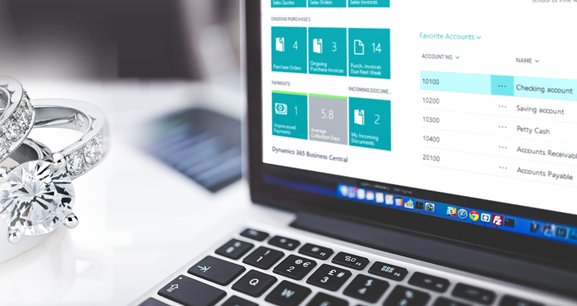
  • How Does Business Central Financial Reporting Work?

    How Does Business Central Financial Reporting Work?

    Business Central financial reporting helps organizations see how money moves through the business, understand financial performance, and make smarter decisions with greater confidence. For growing companies, especially those managing complex inventory, purchasing, sales, and operational workflows, accurate financial visibility is not optional. It is the foundation for planning, profitability, compliance, and long-term growth. Microsoft Dynamics 365 Business Central brings accounting, finance, operations, inventory, sales, and purchasing data together in one connected system, making it easier to produce meaningful reports without relying on disconnected spreadsheets or delayed manual updates.

    Financial reporting is more than reviewing numbers at the end of the month. It is the process of turning business activity into useful financial insight. When leaders can see revenue trends, expense patterns, cash flow, margins, inventory value, and budget performance in one place, they can respond faster and plan more effectively. Business Central supports this by giving businesses flexible reporting tools, real-time data access, and customizable financial views that align with how the organization actually operates.

    For jewelry businesses, diamond traders, importers, wholesalers, and retailers, financial reporting can be especially complex. Inventory values may shift, product details can be highly specific, and transactions often require careful tracking across multiple departments. Business Central, especially when paired with an industry-focused solution such as e-Jewelry Software© from Business Computing, can help simplify reporting while preserving the detail needed to run a specialized business.

    What Is Business Central Financial Reporting?

    Business Central financial reporting is the process of using Microsoft Dynamics 365 Business Central to collect, organize, analyze, and present financial information. It allows businesses to generate reports that show financial health, operational performance, profitability, and cash position.

    At its core, Business Central connects financial transactions to the general ledger. When invoices are posted, payments are received, inventory is adjusted, purchases are recorded, or expenses are entered, those activities flow into the financial system. This creates a consistent source of truth for reporting.

    Instead of manually gathering data from multiple systems, Business Central allows users to access financial information directly from the same platform where daily business transactions occur. This helps reduce delays, minimize errors, and improve confidence in the numbers. To understand how this platform is built specifically for the jewelry industry, see our overview of Dynamics 365 Business Central for jewelers.

    Common reporting areas include:

    • General ledger activity
    • Income statements
    • Balance sheets
    • Cash flow statements
    • Accounts receivable
    • Accounts payable
    • Budgets and forecasts
    • Inventory valuation
    • Sales and purchase analysis
    • Dimensions such as department, location, product category, salesperson, or business unit

    One of the biggest advantages of Business Central is that financial reporting is not limited to static reports. Users can drill into balances, trace transactions, review source documents, and analyze data from different angles. This makes it easier to understand not only what happened, but why it happened.

    For example, a jewelry wholesaler may want to see profitability by product line, location, diamond category, vendor, or customer segment. A traditional accounting report may show total revenue and costs, but Business Central can help organize data in ways that reflect real business questions. Learn more about how the platform handles product-level detail in our article on how Dynamics 365 handles jewelry inventory tracking.

    How Business Central Financial Reporting Supports Accuracy

    Accurate reporting depends on accurate data. Business Central supports financial accuracy by connecting transactions across departments and reducing the need for duplicate entry.

    When financial, sales, purchasing, and inventory processes are managed in one system, there is less risk of information being entered differently in separate places. This helps ensure that financial reports reflect actual business activity.

    Business Central supports accuracy through:

    • Integrated posting processes: Transactions entered in sales, purchasing, inventory, and banking can be posted to the general ledger.
    • Audit trails: Users can trace entries back to their source documents.
    • Dimensions: Businesses can tag transactions with meaningful categories for better reporting.
    • Approval workflows: Companies can set up approval processes for purchases, payments, journals, and other financial activities.
    • Bank reconciliation tools: Matching bank activity with system records helps identify discrepancies.
    • Role-based access: Users can be given appropriate permissions to help protect financial data.

    Accuracy is especially important for businesses with detailed inventory. Jewelry and diamond companies may need to track items by style, stone, metal, collection, certificate, vendor, customer, or location. When inventory and financial data are connected, reports can better reflect the true value and movement of goods. For businesses managing stock across multiple locations, our article on how multi-store jewelry inventory can be managed easily covers this in more depth.

    For leadership teams, this level of accuracy supports better decision-making. Reports are only useful when the data behind them is trustworthy. Business Central helps create that trust by keeping financial activity connected, traceable, and organized.

    Key Financial Reports Available in Business Central

    Business Central includes a range of financial reports that help businesses understand performance from multiple perspectives. These reports can be used by accounting teams, finance leaders, operations managers, and executives.

    Some of the most important financial reports include:

    • Income Statement: Shows revenue, expenses, and net income over a selected period.
    • Balance Sheet: Presents assets, liabilities, and equity at a specific point in time.
    • Cash Flow Statement: Helps businesses understand cash inflows and outflows.
    • Trial Balance: Summarizes general ledger account balances.
    • Aged Accounts Receivable: Shows outstanding customer balances by aging period.
    • Aged Accounts Payable: Shows vendor balances and upcoming payment obligations.
    • Budget vs. Actual Reports: Compares planned financial performance against real results.
    • Inventory Valuation Reports: Helps businesses understand the financial value of inventory.
    • Sales Analysis Reports: Provides insight into sales performance by customer, item, location, or other dimensions.
    • Purchase Analysis Reports: Helps review vendor activity, purchasing trends, and cost patterns.

    Each report serves a different purpose. The income statement helps answer whether the business is profitable. The balance sheet shows the financial position. Cash flow reporting helps determine whether the company has enough cash to meet obligations. Aging reports help manage collections and vendor payments.

    For jewelry companies, inventory valuation can be especially important. Inventory often represents a significant portion of company assets. Business Central can help businesses understand how inventory contributes to financial position and profitability. For a broader look at turning this data into strategy, see our article on how data analytics can boost jewelry business performance.

    Reports can also be enhanced through dimensions. Dimensions allow businesses to analyze financial activity by meaningful categories. For example, a company may want to report by:

    • Store location
    • Sales channel
    • Product category
    • Department
    • Salesperson
    • Vendor
    • Customer type
    • Jewelry collection
    • Region

    This flexibility makes reporting more useful because it aligns with how the business is managed. Instead of only seeing total sales, leaders can see which categories, stores, customers, or products are driving performance.

    Real-Time Reporting and Dashboards

    One of the major benefits of Business Central financial reporting is access to timely information. In many businesses, financial reports are delayed because data has to be gathered, reconciled, formatted, and reviewed manually. By the time reports are ready, the information may already be outdated.

    Business Central helps reduce that delay by using data from live business transactions. As users post invoices, payments, receipts, shipments, journals, and adjustments, the related financial information becomes available for reporting.

    Dashboards and role centers can display key information based on the user’s responsibilities. A finance manager may see cash balances, overdue receivables, and journal tasks. A sales leader may see revenue trends, customer balances, and sales performance. An executive may want high-level financial indicators that show whether the business is on track. For teams adopting these tools for the first time, our jewelry ERP training and support services help ensure users can work confidently with dashboards and reports from day one.

    Real-time reporting helps businesses:

    • Spot cash flow concerns earlier
    • Identify overdue customer balances
    • Monitor expenses before they become a problem
    • Track revenue performance throughout the month
    • Review inventory movement and value
    • Compare actual results against budgets
    • Make faster operational decisions

    This does not mean businesses should skip review and reconciliation. Financial discipline is still essential. However, real-time access gives teams better visibility between formal reporting periods.

    For jewelry businesses, this can be particularly valuable. Sales trends, inventory movement, and purchasing decisions can shift quickly. Having better visibility into current performance helps owners and managers respond with greater confidence.

    Using Financial Data for Better Decisions

    Financial reporting should not only explain the past. It should help shape future decisions. Business Central financial reporting supports decision-making by helping leaders interpret performance and act on reliable information.

    For example, financial reports can help answer questions such as:

    • Which product categories are most profitable?
    • Are operating expenses increasing faster than revenue?
    • Which customers have overdue balances?
    • Is cash flow strong enough to support expansion?
    • Which locations are performing best?
    • Are inventory levels aligned with demand?
    • How do actual results compare with the budget?
    • Which vendors affect margins the most?
    • Where can the business reduce unnecessary costs?

    When reports are easy to access and interpret, teams can move from reactive decision-making to proactive planning. Instead of waiting until the end of the quarter to discover a problem, leaders can monitor trends as they develop.

    Business Central also helps improve collaboration between departments. Finance teams can work from the same data used by sales, purchasing, inventory, and operations. This helps reduce disagreements over which spreadsheet or report is correct.

    For example, if sales revenue looks strong but cash flow is tight, a business can use Business Central to review receivables, payment terms, customer balances, and collections. If margins are declining, leaders can examine item costs, vendor pricing, discounts, inventory adjustments, and sales trends. Our article on how jewelry business back office automation works explains how streamlining these processes also improves the quality of financial data available for reporting.

    Better decisions come from better visibility. Business Central makes it easier to connect financial outcomes to operational causes.

    Customizing Financial Reports for Business Needs

    Every business has different reporting requirements. A small retailer may need simple income statements and cash flow views. A multi-location jewelry company may need detailed reporting by store, product category, inventory type, and sales channel. A diamond importer may need reporting that reflects purchasing, valuation, customer commitments, and specialized product tracking.

    Business Central supports customization so businesses can create reports that match their structure and goals.

    Customization options may include:

    • Report layouts
    • Account schedules or financial reports
    • Dimensions and dimension combinations
    • Filters by date, account, customer, vendor, item, or location
    • Budget comparisons
    • Excel integration
    • Power BI dashboards
    • User-specific role centers
    • Saved report views

    Dimensions are one of the most powerful customization tools. They allow companies to tag transactions in ways that matter to the business. A company can use dimensions to report by department, location, project, product line, or other business-specific categories.

    This is valuable because standard financial statements do not always answer operational questions. A business may need to know not only total expenses, but also expenses by location. It may need to know not only total sales, but sales by jewelry category or customer group.

    Custom reporting also helps different roles get the information they need. Executives may want summary dashboards. Accountants may need detailed ledgers. Sales managers may need customer and revenue reports. Operations teams may need inventory and purchasing insights.

    For specialized industries like jewelry, customization is especially important. A general ERP system can provide strong financial functionality, but industry-specific extensions and configurations help ensure the system reflects the way jewelry businesses actually operate. Our jewelry ERP implementation services are designed to configure Business Central around how your business runs, including custom reporting structures from day one.

    That is where Business Computing and e-Jewelry Software© add important value. By combining Business Central with jewelry-specific functionality, businesses can gain financial visibility while supporting the unique needs of jewelers, diamond traders, importers, and related companies.

    FAQ

    What is Business Central financial reporting?

    Business Central financial reporting is the use of Microsoft Dynamics 365 Business Central to create financial reports, analyze performance, and review business data.

    What reports can I create in Business Central?

    You can create income statements, balance sheets, cash flow reports, trial balances, aging reports, budget comparisons, inventory valuation reports, and more.

    Can Business Central show real-time financial data?

    Yes. Business Central uses posted business transactions to provide timely financial visibility through reports, dashboards, and role centers.

    Does Business Central help reduce reporting errors?

    Yes. It helps reduce errors by connecting financial, sales, purchasing, inventory, and banking data in one system.

    Can reports be customized?

    Yes. Businesses can customize reports using dimensions, filters, layouts, budgets, Excel, and Power BI.

    Why are dimensions important in financial reporting?

    Dimensions allow businesses to analyze financial activity by categories such as location, department, product line, customer group, or sales channel.

    Is Business Central useful for jewelry businesses?

    Yes. When paired with an industry-specific solution like e-Jewelry Software©, Business Central can support the specialized reporting and operational needs of jewelry businesses.

    How does financial reporting support better decisions?

    It gives leaders clear insight into profitability, cash flow, expenses, inventory, customer balances, and business trends.

    Strengthen Your Financial Visibility with Business Computing

    Business Central financial reporting gives businesses the visibility they need to understand performance, improve accuracy, and make informed decisions. For jewelry and diamond businesses, that visibility becomes even more valuable when financial reporting is connected to industry-specific operations, inventory details, and business workflows.

    Business Computing (BCI), a Microsoft Partner and developer of e-Jewelry Software©, helps jewelry companies access software designed around their unique needs. At Business Computing, the belief is simple: any jewelry business solution should meet the needs of jewelry and diamond businesses without becoming complicated.

    Our mission is to provide software that is intuitive, full-featured, highly integrated, easy to use, easy to upgrade, and built to run smoothly for every business, every jeweler, and every diamond trader or importer. By giving hundreds of jewelry companies access to software tailored to jewelry industry standards, we help businesses manage daily operations, strengthen reporting, and support long-term growth.

    To learn how Business Computing and e-Jewelry Software© can help your jewelry business improve financial visibility and operate with greater confidence, contact us today.

  • What Is a Dynamics 365 Business Central Deployment?

    What Is a Dynamics 365 Business Central Deployment?

    If your business is exploring ERP solutions, you have likely come across Microsoft Dynamics 365 Business Central. It is a powerful, all-in-one platform designed to unify your operations, improve visibility, and support smarter decision-making. However, getting from evaluation to full functionality requires more than just purchasing the software. That process is known as a Dynamics 365 Business Central deployment, and it plays a critical role in determining your long-term success.

    From our perspective, deployment is not just a technical setup. It is a strategic transformation. It is where your systems, processes, and people come together to create a more efficient and scalable way of working. When done correctly, it sets the foundation for growth, automation, and better business insights. In this guide, we will walk you through what a Dynamics 365 Business Central deployment involves, what to expect, and how to ensure it delivers real value for your organization.

    Understanding Dynamics 365 Business Central Deployment

    A Dynamics 365 Business Central deployment refers to the process of implementing, configuring, and launching the ERP system within your business. It includes everything from planning and data migration to customization, testing, and user training.

    Rather than being a one-time event, deployment is a structured journey that ensures the system aligns with your unique business needs.

    Key components of a deployment typically include:

    • Business process analysis and planning
    • System configuration and customization
    • Data migration from legacy systems
    • Integration with existing tools
    • User training and onboarding
    • Testing and quality assurance
    • Go-live and post-launch support

    Each of these steps is essential for ensuring that your ERP system works seamlessly from day one.

    Why Deployment Matters More Than You Think

    It is easy to assume that the software itself is the most important part of an ERP investment. In reality, the way it is deployed has an even greater impact.

    A poorly executed deployment can lead to:

    • Confusion among users
    • Data inconsistencies
    • Workflow disruptions
    • Low system adoption
    • Increased costs due to rework

    On the other hand, a well-planned deployment creates a smooth transition and positions your business for long-term success.

    From our experience, deployment is where strategy meets execution. It is your opportunity to design a system that truly supports your operations.

    Key Phases of a Successful Deployment

    A Dynamics 365 Business Central deployment typically follows a series of structured phases. Each phase builds on the previous one, ensuring a cohesive and effective implementation.

    Discovery and Planning

    This is where everything begins. During this phase, we take a deep dive into your business to understand your processes, challenges, and goals.

    We focus on:

    • Identifying current pain points
    • Defining project objectives
    • Mapping out workflows
    • Establishing timelines and budgets

    This stage ensures that the deployment is aligned with your business strategy from the start.

    System Design and Configuration

    Once the plan is in place, the next step is to configure Business Central to match your needs.

    This includes:

    • Setting up modules such as finance, sales, and inventory
    • Customizing workflows and user roles
    • Configuring dashboards and reporting tools

    The goal is to create a system that feels intuitive and tailored to your operations.

    Data Migration

    Migrating data from your existing systems is one of the most critical steps in the deployment process.

    We ensure that:

    • Data is cleaned and validated before migration
    • Information is transferred accurately
    • Historical data is preserved where needed

    Accurate data migration is essential for maintaining continuity and ensuring reliable reporting.

    Integration With Existing Systems

    Most businesses rely on multiple tools and platforms. Integrating these systems with Business Central is key to creating a unified environment.

    Common integrations include:

    • CRM platforms
    • E-commerce systems
    • Payroll and HR software
    • Third-party applications

    Seamless integration ensures that data flows smoothly across your organization.

    Testing and Validation

    Before going live, the system must be thoroughly tested to ensure everything works as expected.

    This involves:

    • Testing individual features and modules
    • Validating data accuracy
    • Simulating real-world scenarios

    Testing helps identify and resolve issues before they impact daily operations.

    User Training and Adoption

    Even the best system will not succeed without user adoption. Training is a critical part of deployment.

    We focus on:

    • Teaching users how to navigate the system
    • Demonstrating role-specific tasks
    • Providing hands-on experience

    Proper training ensures that your team feels confident and ready to use the system.

    Go-Live and Support

    The go-live phase marks the official launch of your system. However, deployment does not end here.

    Ongoing support is essential for:

    • Addressing initial challenges
    • Fine-tuning processes
    • Ensuring smooth day-to-day operations

    This phase helps stabilize the system and ensures long-term success.

    Common Challenges in Business Central Deployment

    While deployment offers significant benefits, it is not without its challenges. Understanding these can help you prepare and avoid potential pitfalls.

    Resistance to Change

    Employees may be hesitant to adopt a new system. Clear communication and training can help ease this transition.

    Data Issues

    Incomplete or inaccurate data can lead to problems during and after migration. Proper preparation is key.

    Scope Creep

    Adding new requirements during the project can delay timelines and increase costs.

    Lack of Planning

    Without a clear roadmap, deployments can become disorganized and inefficient.

    Addressing these challenges early helps ensure a smoother implementation.

    Best Practices for a Successful Deployment

    Over the years, we have identified several best practices that consistently lead to successful deployments.

    • Start with a clear strategy and defined goals
    • Involve key stakeholders from the beginning
    • Focus on data quality and preparation
    • Prioritize user training and support
    • Work with experienced implementation partners

    These practices help reduce risk and improve overall outcomes.

    The Long-Term Benefits of a Strong Deployment

    A successful Dynamics 365 Business Central deployment delivers value that extends far beyond the initial implementation.

    Improved Efficiency

    Streamlined processes reduce manual work and improve productivity.

    Better Visibility

    Real-time data provides insights that support informed decision-making.

    Scalability

    A well-implemented system can grow with your business, supporting future expansion.

    Enhanced Collaboration

    Unified systems improve communication and coordination across departments.

    Stronger Financial Control

    Accurate reporting and tracking help you manage finances more effectively.

    These benefits highlight the importance of getting deployment right from the start.

    Frequently Asked Questions

    What is a Dynamics 365 Business Central deployment?
    It is the process of implementing and launching the ERP system within a business, including planning, configuration, data migration, and training.

    How long does deployment take?
    The timeline varies depending on the complexity of the project, but it typically ranges from a few weeks to several months.

    Do I need a consultant for deployment?
    Working with experienced consultants can help ensure a smoother and more successful implementation.

    What are the biggest risks during deployment?
    Common risks include poor planning, data issues, and lack of user adoption.

    Can the system be customized during deployment?
    Yes, Business Central can be tailored to meet your specific business needs.

    Building a Strong Foundation for Long-Term Success

    A Dynamics 365 Business Central deployment is more than just a technical process. It is a pivotal moment that shapes how your business operates, communicates, and grows moving forward. When approached with the right strategy, it becomes an opportunity to streamline workflows, improve visibility, and empower your team with the tools they need to succeed.

    If you are ready to take the next step, partnering with the right experts can make all the difference. Business Computing, available at https://e-jewelry365.com/staging/, specializes in guiding businesses through successful Business Central implementations. Their team brings hands-on experience, tailored solutions, and a deep understanding of how to align technology with real-world operations. From planning and deployment to training and ongoing support, they work closely with you to ensure your system delivers measurable results. By choosing a trusted partner, you are not just implementing software. You are investing in a smarter, more efficient future for your business.

  • How Does Business Central User Training Improve Adoption?

    How Does Business Central User Training Improve Adoption?

    Implementing Microsoft Dynamics 365 Business Central is a powerful step toward improving efficiency, visibility, and control across your organization. However, even the most advanced ERP system will fall short if your team does not fully understand how to use it. That is where Business Central user training becomes essential.

    From our perspective, adoption is not just about getting employees to log into the system. It is about empowering them to use it confidently, accurately, and consistently in their day-to-day work. When your team understands how Business Central supports their role, everything changes. Processes become smoother, errors decrease, and your investment starts delivering real value.

    In this guide, we will walk you through how Business Central user training improves adoption, what it should include, and how to ensure your team is set up for long-term success.

    Why Business Central User Training Is Important

    At its core, user training is what transforms Business Central from a complex software platform into a practical, everyday tool your team can rely on.

    Without proper training, employees may feel overwhelmed or hesitant to use the system. This often leads to:

    • Underutilization of key features
    • Increased reliance on manual processes
    • Data inconsistencies across departments
    • Frustration and resistance to change

    On the other hand, when training is done right, adoption becomes a natural outcome rather than a forced effort.

    Business Central user training helps your team:

    • Understand how the system supports their specific responsibilities
    • Navigate the interface with confidence
    • Complete tasks efficiently and accurately
    • Trust the data and insights provided by the system

    From our experience, the difference between a successful ERP implementation and a struggling one often comes down to how well users are trained.

    How Business Central User Training Reduces Errors

    One of the most immediate benefits of effective training is a noticeable reduction in errors.

    When users are unsure how to complete tasks, they are more likely to:

    • Enter incorrect data
    • Skip important steps
    • Use workarounds outside the system

    These mistakes can lead to inaccurate reporting, delays, and even compliance issues.

    With proper training, users learn:

    • Correct data entry procedures
    • How to validate and review their work
    • Best practices for maintaining data integrity

    As a result, your organization benefits from cleaner data, more reliable reporting, and fewer operational disruptions.

    Key Topics Covered in Business Central Training

    Not all training programs are created equal. A comprehensive Business Central user training program should cover both foundational knowledge and role-specific tasks.

    System Navigation and Interface

    Before users can perform their duties, they need to feel comfortable navigating the system.

    Training should include:

    • Understanding dashboards and menus
    • Customizing views and layouts
    • Searching for records and information

    This foundational knowledge helps users move through the system efficiently.

    Core Functional Areas

    Depending on your business, different modules may be relevant. Common areas include:

    • Financial management
    • Inventory and supply chain
    • Sales and customer management
    • Purchasing and vendor management

    Training ensures users understand how these modules work together and how their actions impact the broader system.

    Reporting and Data Insights

    One of the biggest advantages of Business Central is its reporting capabilities. Training should show users how to:

    • Generate reports
    • Interpret data
    • Use insights to make informed decisions

    When employees understand the value of the data, they are more likely to engage with the system.

    Workflow and Process Integration

    Training should also focus on how Business Central supports your specific workflows.

    This includes:

    • Step-by-step processes for daily tasks
    • Cross-departmental interactions
    • Automation features that save time

    By aligning training with real-world processes, users can immediately apply what they learn.

    Training Approaches for Different User Roles

    A one-size-fits-all approach rarely works when it comes to ERP training. Different roles require different levels of detail and focus.

    For example:

    • Finance teams need in-depth training on accounting and reporting features
    • Sales teams benefit from training on customer management and order processing
    • Operations teams require knowledge of inventory and logistics

    Tailoring training to each role ensures that users receive relevant, practical information.

    We often recommend a combination of:

    • Instructor-led sessions for hands-on learning
    • Self-paced modules for flexibility
    • Real-world scenarios to reinforce understanding

    This multi-layered approach helps accommodate different learning styles and improves retention.

    Measuring the Success of User Training

    Training is only effective if it leads to measurable improvements. That is why it is important to evaluate its impact.

    User Adoption Rates

    One of the clearest indicators of success is how frequently and effectively employees use the system.

    Signs of strong adoption include:

    • Increased system usage across departments
    • Reduced reliance on legacy tools or manual processes
    • Greater engagement with reporting features

    Error Reduction

    As users become more confident, errors should decrease. Monitoring data accuracy and process consistency can help measure this improvement.

    Productivity Gains

    Well-trained users complete tasks more efficiently. This can be seen in:

    • Faster processing times
    • Improved workflow efficiency
    • Reduced bottlenecks

    User Feedback

    Employee feedback provides valuable insight into the effectiveness of training.

    Ask questions such as:

    • Do users feel confident using the system?
    • Are there areas where additional training is needed?
    • What challenges are they still facing?

    This feedback helps refine your training approach over time.

    Supporting Users After Initial Training

    Training does not end after the initial rollout. Ongoing support is essential for maintaining adoption and addressing new challenges.

    Continuous Learning Opportunities

    As your business evolves, so will your use of Business Central. Offering ongoing training ensures that users stay up to date with new features and processes.

    Accessible Resources

    Providing resources such as:

    • User guides
    • Video tutorials
    • FAQs

    gives employees a reference point when they need help.

    Dedicated Support Channels

    Having a clear support system in place allows users to get assistance quickly. This could include:

    • Internal help desks
    • External consulting partners
    • Regular check-ins with team leads

    Encouraging a Culture of Learning

    When learning is encouraged, employees are more likely to explore new features and improve their skills.

    From our perspective, ongoing support is what turns initial training into long-term success.

    Common Challenges in User Training

    Even with the best intentions, training programs can face challenges.

    Information Overload

    Providing too much information at once can overwhelm users. Breaking training into manageable segments helps improve retention.

    Resistance to Change

    Some employees may be hesitant to adopt new systems. Clear communication and hands-on support can help ease this transition.

    Lack of Time

    Busy schedules can make it difficult for employees to focus on training. Flexible options, such as self-paced modules, can help address this issue.

    Inconsistent Training Delivery

    Ensuring that all users receive the same level of training is essential for consistency across the organization.

    Addressing these challenges proactively helps ensure a smoother training experience.

    Best Practices for Successful Business Central Training

    Based on our experience, several best practices consistently lead to better outcomes.

    • Start training early in the implementation process
    • Tailor content to specific user roles
    • Use real-world scenarios and examples
    • Provide ongoing support and resources
    • Continuously evaluate and improve your training program

    These strategies help create a more effective and engaging learning experience.

    Frequently Asked Questions

    What is Business Central user training?
    It is a structured program designed to teach employees how to use Microsoft Dynamics 365 Business Central effectively in their daily roles.

    Why is user training important for ERP adoption?
    Training ensures that users understand the system, which increases confidence, reduces errors, and improves overall adoption.

    How long does Business Central training take?
    The timeline varies depending on the complexity of the system and the roles involved, but it typically includes both initial training and ongoing support.

    Can training be customized for different roles?
    Yes, role-based training is one of the most effective approaches for ensuring relevance and engagement.

    What happens if users are not properly trained?
    Without training, adoption rates decrease, errors increase, and the full value of the ERP system is not realized.

    Turning Knowledge Into Confident System Adoption

    At the end of the day, Business Central user training is not just a step in the implementation process. It is the foundation for long-term success. When your team understands how to use the system effectively, they become more confident, more efficient, and more engaged in their work. That confidence translates into better data, smoother processes, and stronger business outcomes.

    If you are looking to maximize your investment in Business Central, partnering with an experienced provider can make all the difference. Business Computing, available at https://e-jewelry365.com/staging/, specializes in helping businesses implement, optimize, and fully utilize Business Central solutions. With a focus on practical training, tailored support, and industry expertise, their team works closely with organizations to ensure users are equipped with the knowledge they need to succeed. Whether you are launching a new system or looking to improve adoption, Business Computing provides the guidance and resources to help your team move forward with confidence and clarity.

  • What Do Jewelry ERP Implementation Services Include?

    What Do Jewelry ERP Implementation Services Include?

    For jewelry manufacturers, wholesalers, retailers, and diamond traders, managing operations requires far more than standard accounting or inventory software. From tracking precious stones and managing complex supply chains to ensuring compliance and maintaining precise inventory records, jewelry businesses operate in a highly specialized environment. This is where jewelry ERP implementation services play a critical role.

    Enterprise Resource Planning systems tailored to the jewelry industry unify operations such as inventory management, procurement, manufacturing, finance, and sales into a single integrated platform. However, implementing an ERP system designed for jewelry businesses requires more than installing software. It involves careful planning, configuration, data migration, workflow alignment, training, and ongoing optimization.

    In this guide, we explain what jewelry ERP implementation services include, the phases involved, and how to choose the right ERP partner to support long term growth in the jewelry industry.

    What Are Jewelry ERP Implementation Services?

    Jewelry ERP implementation services refer to the structured process of deploying, configuring, and integrating a specialized ERP system designed for jewelry and diamond businesses. These services ensure that the software aligns with industry-specific workflows and operational requirements.

    Unlike generic ERP deployments, jewelry-focused implementations must accommodate unique factors such as:

    • Precious metal and gemstone tracking
    • Multi-dimensional inventory attributes including weight, clarity, color, and certification
    • Complex manufacturing processes
    • Consignment management
    • Diamond parcel tracking
    • Global sourcing and compliance requirements

    Professional implementation services ensure that these complexities are handled correctly from the start.

    The process typically involves collaboration between the ERP provider and the jewelry business to assess operational needs, customize system functionality, migrate existing data, train staff, and ensure a smooth transition into daily operations.

    Without structured implementation services, businesses risk delays, data inaccuracies, workflow disruption, and underutilization of the ERP system.

    Core Phases of a Jewelry ERP Implementation

    Implementing ERP software for a jewelry business is a multi-stage process that ensures the system supports both current operations and future scalability.

    Most jewelry ERP implementations follow several key phases.

    1. Business Analysis and Planning

    The implementation process begins with a detailed assessment of the company’s operational structure and goals.

    During this phase, consultants evaluate:

    • Current software systems and data structures
    • Inventory tracking methods
    • Manufacturing or sourcing workflows
    • Sales and distribution channels
    • Accounting processes
    • Compliance and reporting requirements

    This analysis forms the foundation for designing a system configuration that supports the business effectively.

    2. System Design and Configuration

    After the planning stage, implementation teams configure the ERP system to match the jewelry company’s workflows. This step ensures that the system reflects real operational processes.

    Key configuration areas often include:

    • Inventory classifications for gemstones and precious metals
    • SKU structures and product attributes
    • Manufacturing workflows
    • Order management processes
    • Accounting integration
    • Vendor and supplier management

    The system must accommodate both operational efficiency and the traceability required in the jewelry industry.

    3. Data Migration

    Many jewelry companies transitioning to ERP already have years of operational data stored across spreadsheets, legacy systems, or outdated software.

    Implementation specialists assist with:

    • Data cleansing and preparation
    • Inventory record verification
    • Migration of customer and supplier databases
    • Transfer of historical financial records
    • Importing product catalogs and stone characteristics

    Clean data is critical for ensuring accurate reporting and inventory visibility once the ERP system goes live.

    4. Integration with Existing Systems

    Jewelry businesses often use several supporting technologies, including:

    • E-commerce platforms
    • Point of sale systems
    • CAD design software
    • Barcode scanning systems
    • Shipping and logistics tools

    ERP implementation services ensure these systems communicate effectively through integrations or APIs so that information flows seamlessly across platforms.

    5. Training and User Adoption

    Even the most advanced ERP system delivers little value if employees are not comfortable using it.

    Implementation services typically include:

    • Role-based training sessions
    • Workflow demonstrations
    • User documentation
    • Hands-on system walkthroughs

    These efforts help teams quickly adopt the new platform and reduce resistance to change.

    6. Testing and Go Live

    Before launching the ERP system, implementation teams perform thorough testing to verify system accuracy.

    Testing includes:

    • Inventory reconciliation
    • Transaction validation
    • Workflow testing
    • Financial reporting verification
    • User acceptance testing

    Once the system passes testing, the ERP solution is deployed across the organization.

    What’s Included in Professional Jewelry ERP Implementation Services

    Professional ERP providers offer comprehensive services that go beyond software installation.

    Typical jewelry ERP implementation services include:

    • Business process evaluation
    • ERP system setup and customization
    • Data migration and cleansing
    • Integration with existing tools
    • Workflow mapping and optimization
    • Staff training and onboarding
    • Testing and validation
    • Go live deployment
    • Ongoing technical support

    These services ensure the ERP system becomes a fully operational backbone of the business rather than just another piece of software.

    System Configuration and Workflow Alignment

    One of the most critical aspects of ERP implementation for jewelry businesses is ensuring that the system accurately reflects real operational workflows.

    Jewelry companies often manage highly specific processes that generic ERP solutions cannot easily accommodate.

    Examples of workflow alignment include:

    • Tracking individual stones by certificate number
    • Managing metal weight variations during manufacturing
    • Handling repair orders and custom design requests
    • Managing multi-location inventory for retail and wholesale operations
    • Tracking consignments and memo inventory

    ERP specialists configure modules and workflows so these processes function smoothly inside the system.

    This customization ensures that teams do not need to change their core business practices to accommodate the software. Instead, the software supports the business.

    Post-Implementation Support and Optimization

    ERP implementation does not end once the system goes live. Ongoing support ensures that businesses continue to maximize the value of their ERP investment.

    Post implementation services often include:

    • System performance monitoring
    • Troubleshooting and technical support
    • Feature updates and upgrades
    • Workflow adjustments
    • Advanced reporting setup
    • Additional user training

    As jewelry businesses grow, their operational needs evolve. Continued optimization ensures the ERP system remains aligned with new processes, sales channels, and market opportunities.

    Choosing the Right ERP Partner for Jewelry Businesses

    Selecting the right ERP partner can significantly impact the success of an implementation.

    Jewelry businesses should prioritize partners that possess deep industry knowledge and experience with jewelry-specific workflows.

    Key factors to evaluate when selecting a jewelry ERP implementation partner include:

    Industry Expertise

    An ERP provider with jewelry industry experience understands the complexities of gemstone tracking, metal valuation, manufacturing processes, and compliance requirements.

    Proven Implementation Methodology

    Successful implementations follow structured processes that minimize disruption and ensure predictable timelines.

    Look for providers that offer:

    • Clearly defined implementation phases
    • Dedicated project management
    • Structured training programs
    • Ongoing support services

    Scalable Technology

    Jewelry businesses evolve as they expand into new markets, channels, or product lines. ERP solutions should support long-term growth without requiring constant system replacement.

    Integration Capabilities

    The ERP system must integrate with other technologies, including:

    • E-commerce platforms
    • POS systems
    • shipping and logistics tools
    • financial platforms
    • customer relationship management systems

    Ongoing Support

    Long-term support ensures businesses receive assistance when introducing new processes, expanding operations, or adopting new technologies.

    Frequently Asked Questions

    How long does jewelry ERP implementation take?

    Implementation timelines vary depending on business size and system complexity. Many projects take between three and nine months to complete.

    Is jewelry ERP different from standard ERP software?

    Yes. Jewelry ERP systems include industry-specific capabilities such as gemstone tracking, metal weight management, certification tracking, and complex inventory attributes.

    Can ERP systems support both wholesale and retail jewelry businesses?

    Yes. Modern jewelry ERP platforms support multi-channel operations, including wholesale distribution, retail stores, e-commerce, and manufacturing.

    What is the biggest challenge during ERP implementation?

    Data migration and workflow alignment are often the most complex steps. Accurate inventory and financial data are critical for system success.

    Do employees require extensive training to use ERP software?

    With intuitive systems and proper training, most users adapt quickly. Many modern ERP solutions are designed with user-friendly interfaces to simplify adoption.

    Transform Your Jewelry Operations with Business Computing

    Implementing the right ERP system can dramatically improve efficiency, visibility, and scalability for jewelry businesses. However, the true value of ERP comes from expert implementation tailored to the unique demands of the jewelry and diamond industry.

    At Business Computing (BCI), we specialize in delivering powerful solutions designed specifically for jewelry businesses. As a Microsoft Partner and the developer of e-Jewelry Software©, our team provides comprehensive jewelry ERP implementation services that help companies modernize operations and support long term growth.

    Our mission has always been clear. We believe jewelry business software should meet the unique needs of jewelry and diamond companies without being complicated. Our solutions are intuitive, fully integrated, easy to use, and designed to grow with your business.

    Through e-Jewelry Software©, Business Computing has helped hundreds of jewelry companies gain access to technology built specifically for their industry standards. Our platform empowers jewelers, manufacturers, diamond traders, and importers to manage operations efficiently while expanding their businesses with confidence.

    If your organization is ready to modernize operations with a purpose-built jewelry ERP system, the experts at Business Computing are here to help.

    Discover how the right ERP solution can streamline your workflows, improve inventory visibility, and support the future growth of your jewelry business.